feedzop-word-mark-logo
searchLogin
Feedzop
homeFor YouUnited StatesUnited States
You
bookmarksYour BookmarkshashtagYour Topics
Trending
Terms of UsePrivacy PolicyAboutJobsPartner With Us

© 2026 Advergame Technologies Pvt. Ltd. ("ATPL"). Gamezop ® & Quizzop ® are registered trademarks of ATPL.

Gamezop is a plug-and-play gaming platform that any app or website can integrate to bring casual gaming for its users. Gamezop also operates Quizzop, a quizzing platform, that digital products can add as a trivia section.

Over 5,000 products from more than 70 countries have integrated Gamezop and Quizzop. These include Amazon, Samsung Internet, Snap, Tata Play, AccuWeather, Paytm, Gulf News, and Branch.

Games and trivia increase user engagement significantly within all kinds of apps and websites, besides opening a new stream of advertising revenue. Gamezop and Quizzop take 30 minutes to integrate and can be used for free: both by the products integrating them and end users

Increase ad revenue and engagement on your app / website with games, quizzes, astrology, and cricket content. Visit: business.gamezop.com

Property Code: 5571

Home / Technology / Windows 11 Gains User-Friendly Security Controls

Windows 11 Gains User-Friendly Security Controls

30 Jan

•

Summary

  • Windows 11 update KB5074105 allows easier Smart App Control toggling.
  • Users can now enable/disable security features without reinstalling Windows.
  • Update also includes Cross-Device Resume and Start Menu fixes.
Windows 11 Gains User-Friendly Security Controls

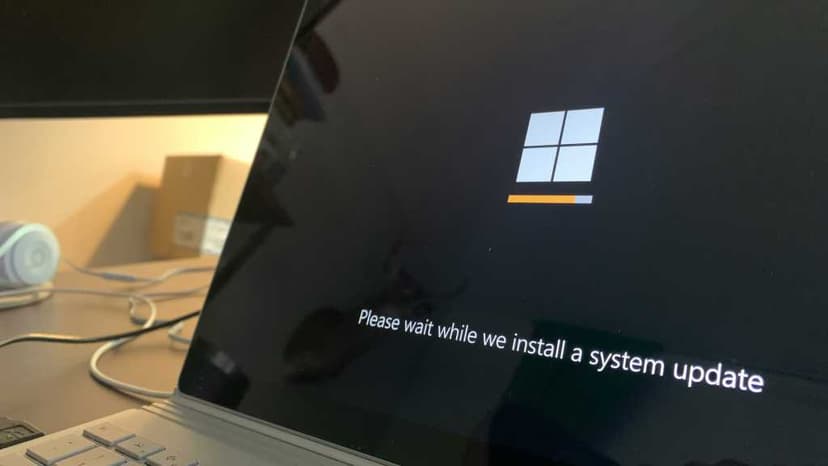
Microsoft has released optional update KB5074105 for Windows 11, offering enhanced user control over security features. The update significantly improves the Smart App Control (SAC) functionality, allowing users to easily enable or disable it directly from Windows Settings. Previously, re-enabling SAC necessitated a Windows reinstallation, making this change a notable convenience for users.

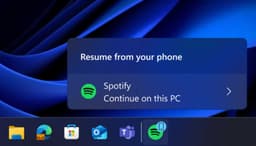
This new patch is a preview of next month's mandatory Patch Tuesday update. Beyond the improved SAC management, KB5074105 also integrates the Cross-Device Resume feature, enabling users to continue Android apps on their PCs. Additional fixes address inconsistencies in the Start Menu's behavior, resolve an issue with the password icon not appearing during login, and patch several system-crashing bugs.

Disclaimer: This story has been auto-aggregated and auto-summarised by a computer program. This story has not been edited or created by the Feedzop team.
trending

Ohio snow emergency declared

trending

TikTok down in United States

trending

Andreeva matches Venus Williams' feat

trending

Warrington Hospital baby death

trending

Alexander Zverev advances in Australia

trending

Oilers host Capitals

trending

London celebrates Chinese New Year

trending

Liza Minnelli defends AI use

The latest Windows 11 update, KB5074105, allows users to easily enable or disable Smart App Control directly from Windows Settings, a significant improvement over previous methods.
Besides enhanced Smart App Control, the update includes Cross-Device Resume for Android apps, fixes for the Start Menu, and resolution of login password icon and system-crashing bugs.
No, KB5074105 is an optional update, serving as a preview of the upcoming mandatory Patch Tuesday update.

Read more news on

Technologyside-arrow

You may also like

Windows 11: AI Focus Over User Needs?

22 hours ago • 4 reads

article image

Windows 11 Could Get a Linux-Style Command Dock

1 day ago • 6 reads

article image

Android Apps Resume on Windows 11 PCs Soon

28 Jan • 12 reads

article image

Xbox App Now Runs on All Arm Windows 11 PCs

22 Jan • 48 reads

article image

Windows 11 Admins Gain Copilot Uninstall Option

12 Jan • 110 reads

article image