Home / Technology / Windows 11 Dark Mode Update: File Explorer Flashes White!
Windows 11 Dark Mode Update: File Explorer Flashes White!
2 Dec, 2025
Summary
- Windows 11 update KB5070311 aimed to improve dark mode consistency.
- Users now experience a white flash when opening File Explorer in dark mode.
- Microsoft acknowledges the bug and is working on a fix for the issue.
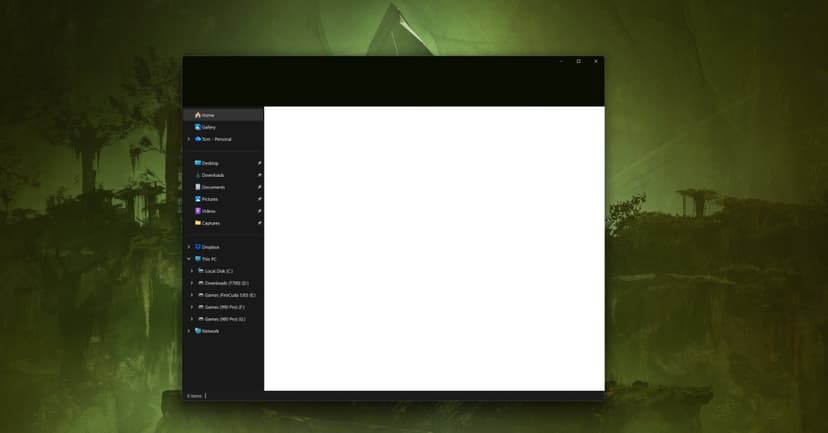
Microsoft's latest Windows 11 update, KB5070311, released yesterday, inadvertently introduced a significant bug impacting the File Explorer's dark mode. While the update aimed to bring a more consistent dark theme, including for dialogs related to file operations, it now causes a bright white flash upon opening the File Explorer window. This unexpected visual disturbance is particularly noticeable for users working in low-light conditions.
Described as a "giant white flash" and a "flash bang" by affected users, the issue presents as a brief blank white screen before files and folders load. Microsoft has officially recognized this problem in the update's known issues section and confirmed that its teams are currently working on a fix to resolve the disruptive white flashing.
Despite the commitment to a unified dark mode experience across Windows 11, this bug slipped through testing. The company plans further dark mode enhancements for the Run dialog, progress bars, and charts views. In the interim, users seeking an immediate solution can explore unofficial Windhawk modifications to restore normal dark mode functionality in File Explorer.