Home / Technology / Chrome Upgrades: Split Screen, PDF Notes, Drive Saves!
Chrome Upgrades: Split Screen, PDF Notes, Drive Saves!
23 Feb
Summary
- View two websites simultaneously side-by-side in a single window.
- Markup PDFs directly in Chrome with notes, highlights, and signatures.
- Save downloads directly to Google Drive instead of local storage.
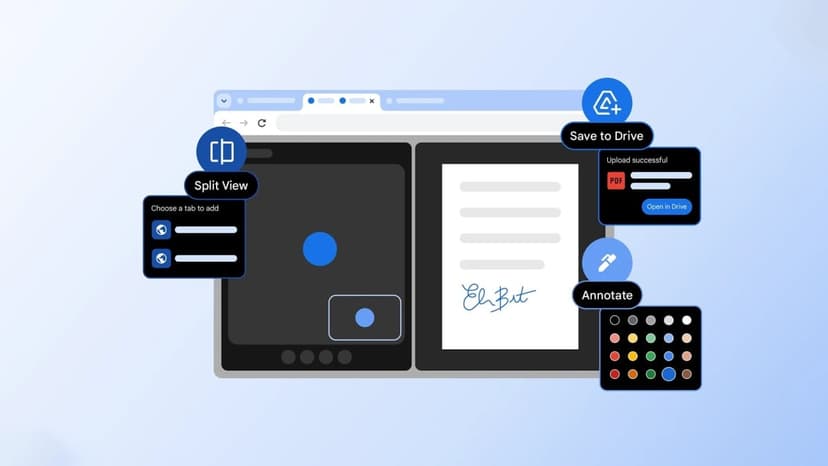
Google Chrome has rolled out several new productivity features designed to streamline user workflows. The browser now offers a split view capability, enabling users to display two tabs adjacently within the same browser window. This allows for simultaneous viewing and interaction with different web content, such as watching a video on one side while drafting notes on the other.
PDF annotation has also been integrated directly into Chrome. Users can now mark up PDF documents with freehand drawings, text highlights, shapes, and even digital signatures. This feature, noted as a top user request, enhances document interaction within the browser.
Furthermore, a new 'Save to Google Drive' option allows users to send downloaded files directly to their cloud storage. This bypasses the need to save files locally and organizes all internet downloads into a dedicated 'Saved from Chrome' folder within Google Drive, preventing clutter and ensuring easy access.