

Home / Technology / Chrome Now Organizes Tabs Vertically!
Chrome Now Organizes Tabs Vertically!
7 Apr
Summary
- Chrome desktop now supports vertical tab organization.
- Users can activate vertical tabs via right-click menu.
- An enhanced reading mode is also being rolled out.
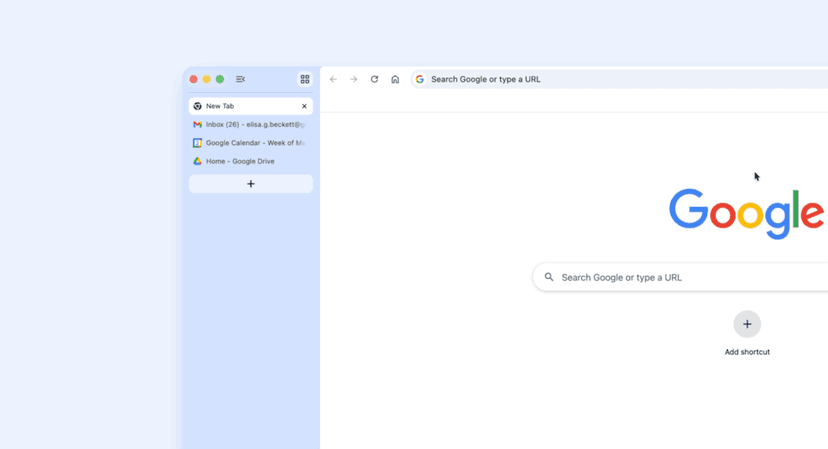
Google has begun releasing a notable update for Chrome on desktop, which includes the long-awaited vertical tab organization feature. This new functionality allows users to right-click on any Chrome window and select "Show Tabs Vertically" to switch to a vertical layout. Many users have been waiting for this feature, as other major browsers have offered similar options for some time.
In addition to vertical tabs, Chrome is also introducing an enhanced reading mode. This feature provides a streamlined, full-page interface designed to minimize distractions while reading web content. Users can access this mode by right-clicking on a webpage and selecting "Open in reading mode." As with many Chrome updates, these features may take a few days to become available on all devices.

