Home / Technology / Android's Blue Dot: Your Privacy's New Watchdog
Android's Blue Dot: Your Privacy's New Watchdog
9 Nov
Summary
- A small blue dot signals an app is actively accessing location data.
- This indicator enhances user privacy by showing real-time location use.
- Users can tap the dot to identify apps using location and adjust permissions.
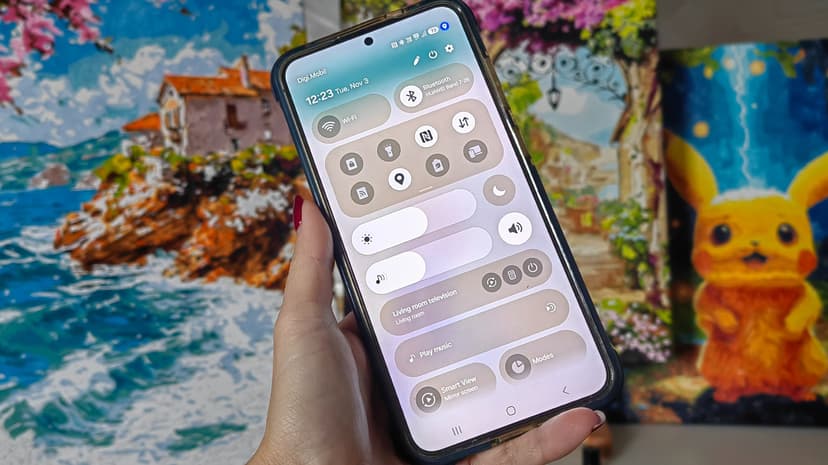
Android has introduced a visual indicator, a small blue dot, to enhance user privacy concerning location data. This dot appears near the battery icon when an application is actively using your device's location. It serves as a real-time alert, ensuring users are aware of which apps are tracking their whereabouts via GPS, Wi-Fi, or cellular signals.
This feature is part of Google's commitment to making privacy more transparent. Unlike older systems where location permissions were hidden in settings, the blue dot provides immediate visibility. If the dot appears while using a navigation app, it is expected. However, its appearance when no location-requiring app is open prompts users to investigate.
Users can easily identify the triggering app by swiping down from the top of the screen and tapping the blue dot. This action reveals recent location access and provides a direct link to the app's permission settings. For essential apps like weather or navigation, users can set permissions to 'allow only while using the app,' offering peace of mind and control.
Samsung users with One UI 9 and newer also display a similar blue pin icon. This indicator, along with a green dot for camera or microphone access, signifies an app's recent activity. Android 17 and newer versions tie the location dot to apps currently running or those that have accessed data within the last 10 seconds.


