



Home / Technology / Windows 11 Phone Link Expands Android Apps to Desktop
Windows 11 Phone Link Expands Android Apps to Desktop
7 Jan
Summary
- Phone Link app now allows Android apps to use up to 90% of desktop space.
- Feature requires a compatible Android phone, with specific Samsung models listed.
- Some apps may need restarting or exhibit blurry graphics in the expanded view.
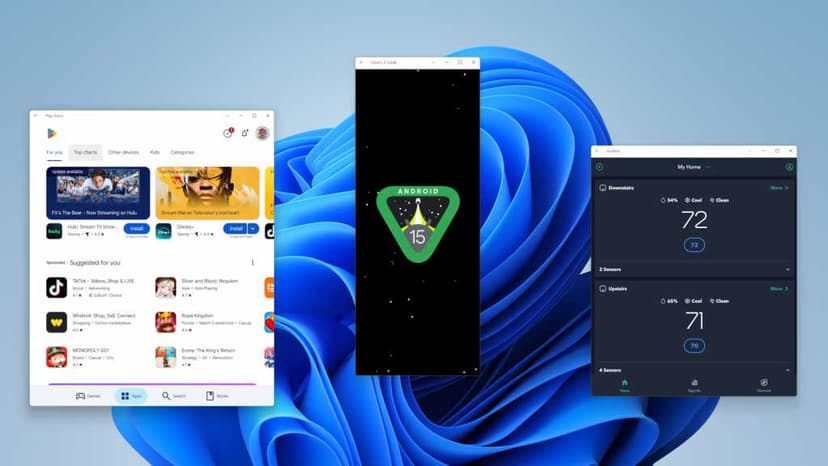
The Phone Link app on Windows 11 has been updated to offer an expanded screen feature, allowing Android apps to utilize up to 90% of the desktop's surface. This significant enhancement, distributed through the Microsoft Store, moves beyond previous limitations of smaller app windows.
This new capability provides a more integrated and usable experience for running Android applications directly on a Windows PC. However, users may encounter the need to restart certain apps for the feature to function correctly, and some applications might display slightly blurred graphics in this larger format.
To utilize the expanded screen functionality, a compatible Android phone is necessary. Examples of supported devices include various models from Samsung's S series, Honor, OnePlus, Oppo, and some Xiaomi phones, indicating a broad but specific hardware requirement for the feature.
