

Home / Technology / Virtual RAM: Speed vs. Storage Illusion
Virtual RAM: Speed vs. Storage Illusion
4 Apr
Summary
- Virtual RAM uses storage drive space, but is much slower than physical RAM.
- Fastest SSDs are almost 10 times slower than RAM, impacting performance.
- Virtual RAM can aid low-cost laptops but isn't a replacement for physical memory.
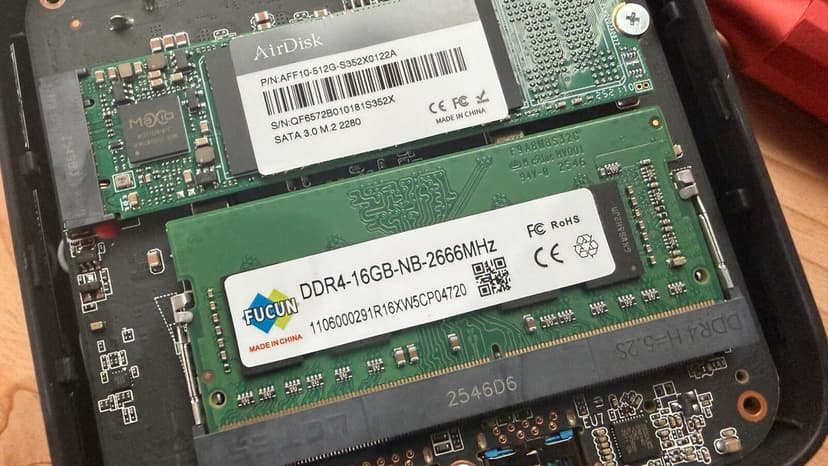
While RAM and PC prices have surged, virtual RAM presents a partial solution for enhancing computer memory. This feature allows a portion of a device's storage drive to act as an extension of system memory, creating an illusion of greater resources. However, virtual RAM's performance is significantly hampered by the inherent speed difference between storage drives and physical RAM. Even high-end SSDs are approximately ten times slower than RAM, with hard drives being even more so.
This speed disparity can lead to performance issues, including heavy lag and system freezing, a phenomenon known as memory thrashing. Although virtual RAM cannot replace physical RAM, it can be beneficial for lightweight machines or affordable laptops with limited memory. For instance, it could help a budget laptop better handle multiple tasks without crashing. Enabling virtual RAM in Windows 11 involves adjusting system settings to allocate a custom amount of drive space for this purpose.
Users can manage virtual memory settings through the System Properties in Windows 11, choosing a drive and specifying custom sizes for initial and maximum allocation. While disabling virtual memory entirely is possible, it is generally not recommended as PCs rely on the interplay between physical and virtual memory for optimal performance. MacOS also features secure virtual memory, which is encrypted and cannot be adjusted by the user.
