Home / Technology / Chrome on Android Tablets Gets Bookmark Bar
Chrome on Android Tablets Gets Bookmark Bar
17 Mar
Summary
- Chrome for Android tablets and foldables now features a bookmark bar.
- The feature is available in the recently released Chrome version 146.
- Users must manually enable the bookmark bar in device settings.
Google has rolled out a significant update for Chrome on Android foldables and tablets, introducing a familiar bookmark bar to large-screen mobile devices. This enhancement aims to bring a more desktop-like browsing experience to users who prefer robust computing on their gadgets.
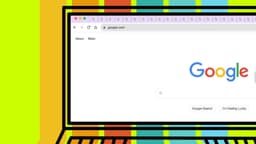
The new feature is integrated into Chrome version 146, which became available today. The bookmark bar will appear directly beneath the Omnibox, showcasing site favicons and names for quick access. A chevron allows users to scroll through additional bookmarks, and a long press reveals the full URL.
To take advantage of this new tool, users must manually enable it. The default setting is 'Hidden on narrow screens.' Enabling it requires navigating to Settings, then Appearance, and selecting the 'Show bookmarks bar' option.