Home / Technology / ChatGPT Chrome Extension Now Sees Your Open Tabs
ChatGPT Chrome Extension Now Sees Your Open Tabs
16 Oct
Summary
- ChatGPT's Chrome extension can now access open browser tabs.
- Users can ask ChatGPT to compare information across tabs.
- The sidebar version provides full ChatGPT power without leaving the page.
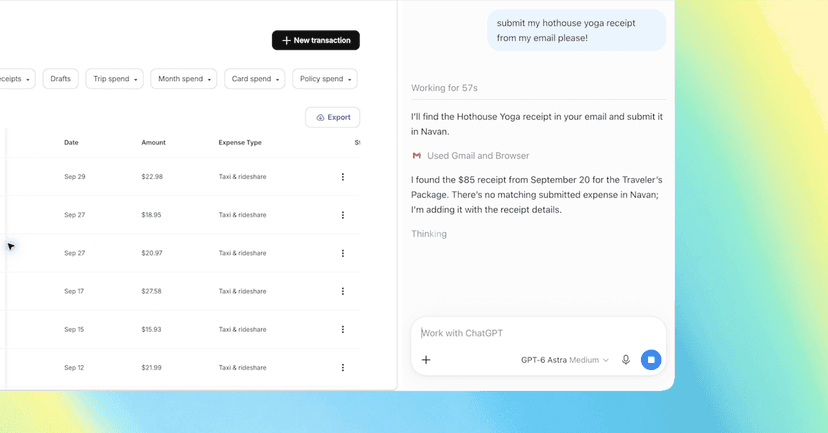
OpenAI's ChatGPT has introduced significant upgrades to its Google Chrome extension, enabling it to now view and utilize information from your currently open browser tabs. This new functionality allows users to interact with ChatGPT by referencing tabs they already have open, facilitating tasks like comparing products or gathering information across multiple sources. For instance, a user could ask ChatGPT to compare sofa options from several open tabs.
The upgraded extension supports sophisticated queries, such as populating registration forms based on brief details from open tabs, consolidating vendor information into comparison sheets, or analyzing contractor services to draft emails for home renovation projects. The sidebar integration within Chrome also brings the full capabilities of ChatGPT, including conversation history, directly to the user's current browsing session, eliminating the need to switch between applications.
This enhancement is designed to streamline user workflows, enabling ChatGPT to control Chrome tabs for tasks like sending messages, filling forms, or downloading files. It operates similarly to Google's Gemini-powered auto-browse feature and also assists in organizing and grouping open browser tabs, further enhancing productivity for users within their Chrome environment.


