Home / Technology / Apple's New Reader Tool: See and Hear Any Text
Apple's New Reader Tool: See and Hear Any Text
4 Dec, 2025
Summary
- Accessibility Reader offers a full-screen view and read-aloud function.
- The tool is available across iPhone, iPad, Mac, and Vision Pro devices.
- Users can customize font, color, speed, and auto-read settings.
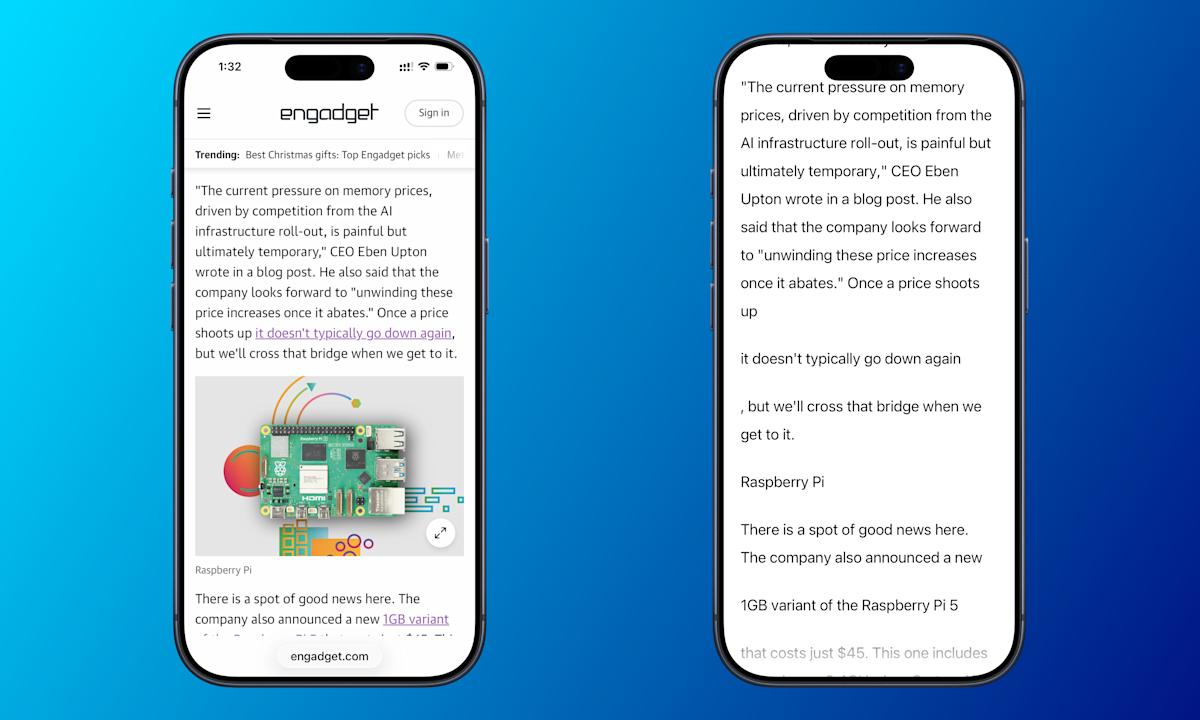
Apple has introduced Accessibility Reader, a new feature aimed at enhancing screen accessibility for individuals with visual impairments. This tool presents any on-screen text in a full-screen mode and offers the capability to read the text aloud, extending the functionality of features like Safari's Reader Mode to all applications across Apple devices.
The Accessibility Reader is compatible with iPhone, iPad, Mac, and Vision Pro, provided the devices are running the latest operating systems. Activation is consistent across platforms, typically found within the Accessibility settings under 'Read & Speak.' Users can set up quick launch methods, including triple-clicking the side or top button, adding a Control Center shortcut, or utilizing Mac's keyboard shortcuts like Cmd-Esc.
Beyond basic reading, the tool offers extensive customization. Users can adjust playback speed, enable automatic reading upon launch, and modify visual aspects such as font size, color themes, and line spacing via an 'AA' customization button. These options empower users to tailor the experience to their specific needs and preferences for optimal usability.