Home / Technology / Pixel's Desktop Mode: Your Phone Becomes a PC
Pixel's Desktop Mode: Your Phone Becomes a PC
19 Mar
Summary
- Pixel phones now offer a desktop mode for enhanced productivity.
- Desktop mode enables multitasking and app tiling on external displays.
- This feature aims to support smartphone-only users.

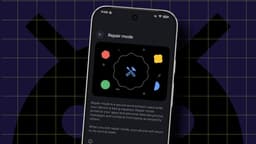
Android's Desktop Mode, now available on Pixel 8 and newer models, transforms a smartphone into a functional desktop computer. This significant advancement in mobile technology allows users to connect their Pixel phone to an external monitor, a Bluetooth keyboard, and mouse. The feature presents Android in a familiar desktop layout, complete with a taskbar and the ability to open and manage multiple applications simultaneously, tiling windows for efficient multitasking.
This development holds particular relevance for the substantial and growing segment of the population who rely solely on their smartphones for online activities. Historically, attempting to be productive with a smartphone alone has been challenging due to limitations in typing and multitasking. Android's Desktop Mode addresses these issues directly, offering a seamless and surprisingly performant experience that rivals traditional desktop operating systems for many tasks. While not intended for professional video editing or server management, it promises to be a viable option for daily use, potentially reducing reliance on separate computers.